TUTORIAL · May 28, 2026 · 4 min read
Human-in-the-Loop LangGraph Agents in Angular
Build a human-in-the-loop LangGraph agent in Angular — pause runs before money moves with a structured approval dialog from @threadplane/chat and @threadplane/langgraph.
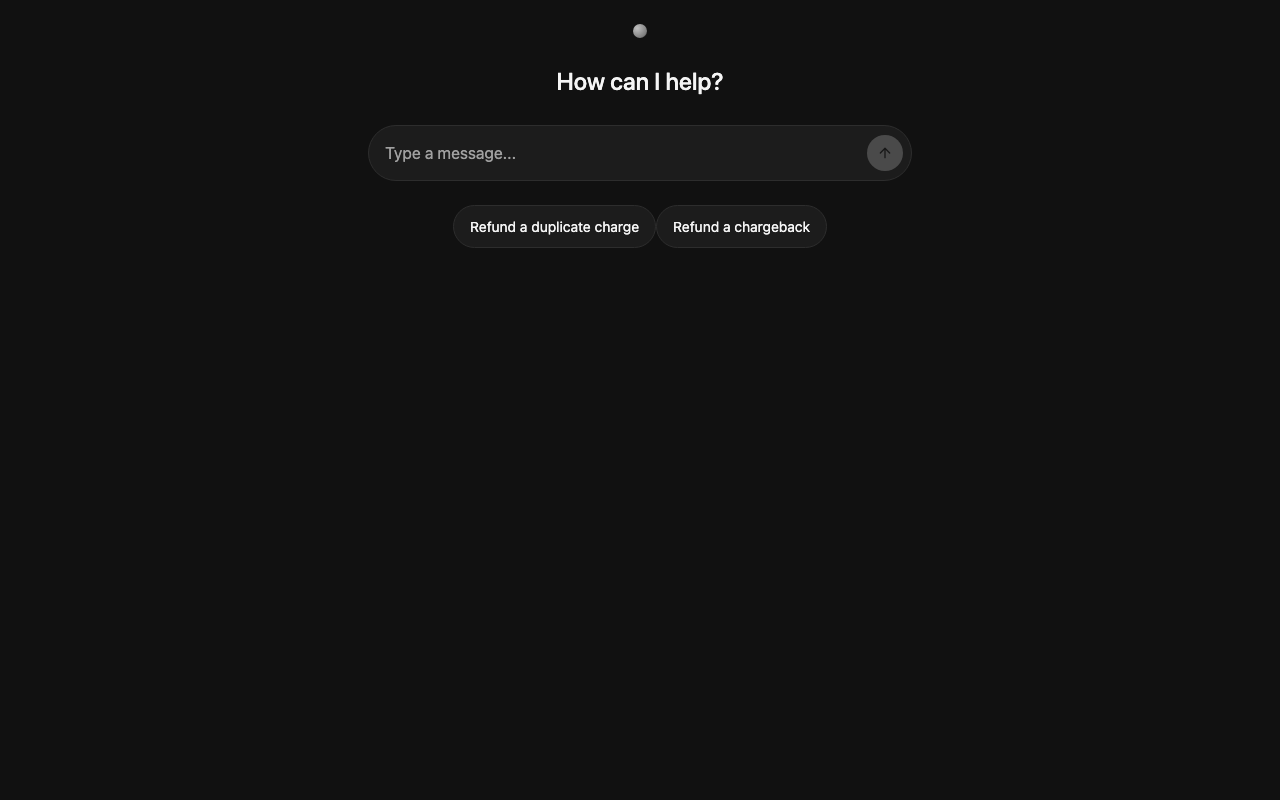
This is how to pause a LangGraph agent in Angular for human approval before it runs a high-stakes tool, using LangGraph's interrupt() and the <chat-approval-card> composition from @threadplane/chat.
The example is a refund agent: it drafts a refund, then stops and asks an operator to approve, edit, or cancel before any charge is reversed.
Everything below is running code from the cockpit example at cockpit/langgraph/interrupts. Clone the repo, run nx serve cockpit-langgraph-interrupts-angular, and follow along.
#Goals
- Wire a refund-approval gate using LangGraph's
interrupt()primitive. - Render the approval dialog in Angular with the
<chat-approval-card>composition. - Resume, reject, or edit-then-resume — with a distinct path for each.
#When to use an interrupt
Most tool calls don't need approval. Reads, searches, and lookups can run unattended. Reach for an interrupt when a tool does something the operator wouldn't want to undo by hand: moves money, sends a customer-facing message, deletes a record, or triggers a deploy.
Two practical reasons: it caps the cost of a misfiring agent looping over a write API, and it gives the operator a checkpoint to catch a wrong action before it lands.
#The architecture
Three pieces:
- LangGraph backend. A node calls
interrupt({ kind: 'refund_approval', amount, customer_id, reason })instead of calling Stripe directly. The run pauses and the thread checkpointer persists the pending interrupt until something resumes it. @threadplane/langgraphadapter. Surfaces the pending interrupt on anagent.interrupt()signal.agent.submit({ resume })writes a value back to the paused graph.@threadplane/chatUI.<chat-approval-card>reads the pending interrupt, opens a native<dialog>modal, and emits'approve' | 'edit' | 'cancel'.
The LangGraph node doesn't know how the UI renders, and the Angular component doesn't know which graph it's paused inside. That lets you reuse one approval dialog across multiple agents.
#Scaffold
Three files.
A structured-output call populates the fields the approval card displays. Then request_approval pauses with interrupt():
interrupt() pauses the graph and persists its payload. The graph stays paused until agent.submit({ resume }) runs against the same thread — and that value becomes the return value of interrupt() when the node re-executes. That's why request_approval can branch on decision["approved"] and pick up an edited amount.
The adapter discovers interrupts at runtime from the thread state.
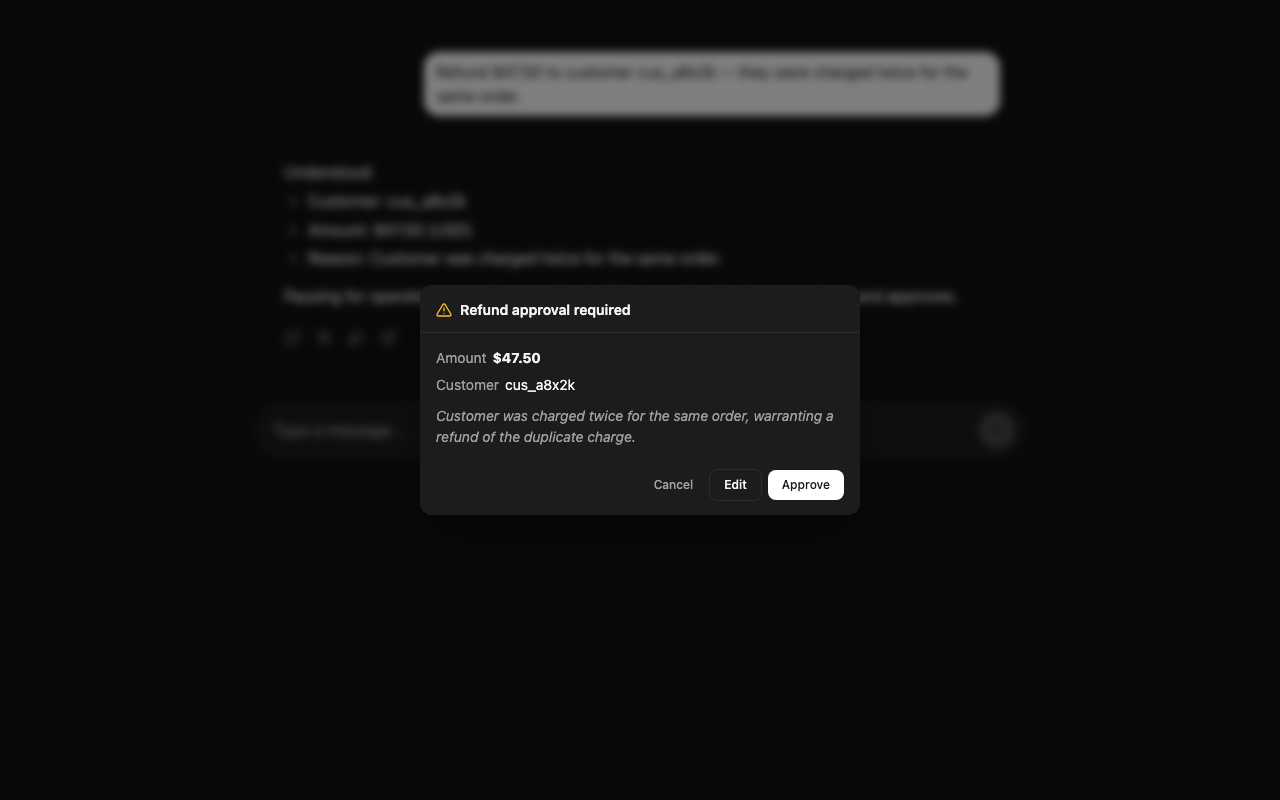
<chat-approval-card> reads agent.interrupt(), matches the kind you pass to matchKind, opens a native <dialog>, and emits an action on each button click. The body is a content-projected template — render whatever fits the payload.
Approve and Cancel are terminal: they resolve the interrupt and close the dialog. Edit is not. Clicking Edit leaves the dialog open so you can reveal an inline editor and submit the resume yourself. That distinction lives in the composition.
#The round trip
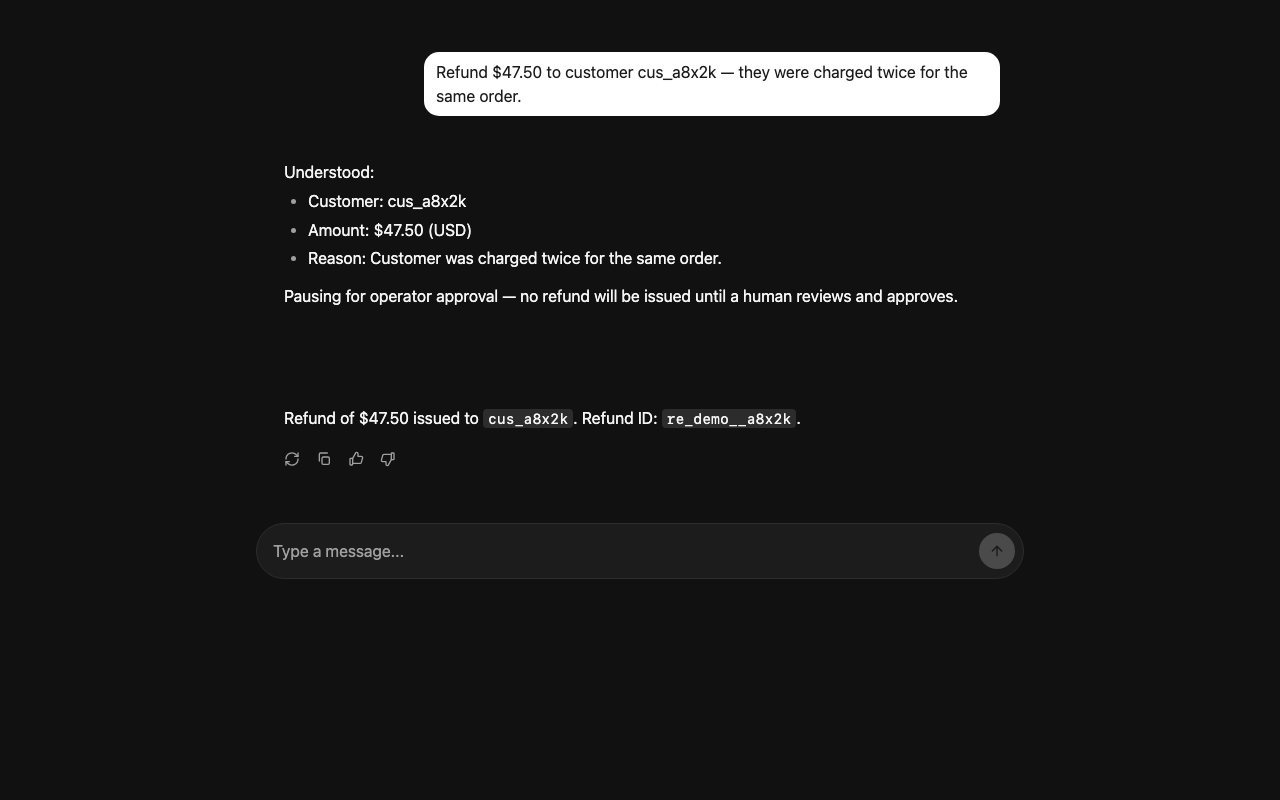
- User: "Refund $47.50 to customer cus_a8x2k — they were charged twice."
draft_refundextractsamount,customer_id,reasoninto state and posts an acknowledgement.request_approvalcallsinterrupt(). The graph pauses; the checkpointer persists the payload.- The adapter exposes it on
agent.interrupt(). <chat-approval-card>matches thekindand callsdialog.showModal().- The operator clicks Approve.
- The handler runs
agent.submit({ resume: { approved: true } }). request_approvalre-runs;interrupt()returns{ approved: true }instead of pausing.- The graph continues to
issue_refundand finishes.
It's one thread and one persisted state. If the operator closes the tab and returns later, the interrupt is still pending.
#Production patterns
#Idempotency
interrupt() re-executes the node on resume. Side effects before the call have already run; side effects after run again on resume. Put the write (the Stripe refund.create) on the resumed side, and pass an idempotency key through state so a double-click doesn't issue two refunds.
#Audit trail
Log who approved, when, and what payload they saw — in the action handler, before agent.submit:
#What not to interrupt
Interrupt on writes the operator wouldn't want to undo by hand — money movement, customer-facing messages, destructive deletes. If you can undo it with a script in under a minute, let the agent run.
#Next
The next post covers durable threads, so the conversation and any pending interrupt survive a reload or a different device.